
FSiPanel for P3D V4 & V5 2020
- Compatible with a wide range of aircraft
- Trusted by serious simmers and real-world pilots
Main Features
Our software comes with alot of features. Here are the main ones.

Fly Approaches Within Seconds
FSiPanel eliminates long setup times by instantly positioning your aircraft on final approach, base, downwind, or a pilot-defined location — fully configured and ready for you to take control.
Your aircraft will be properly trimmed, set up, and stabilized, allowing you to focus on flying the approach with precision.
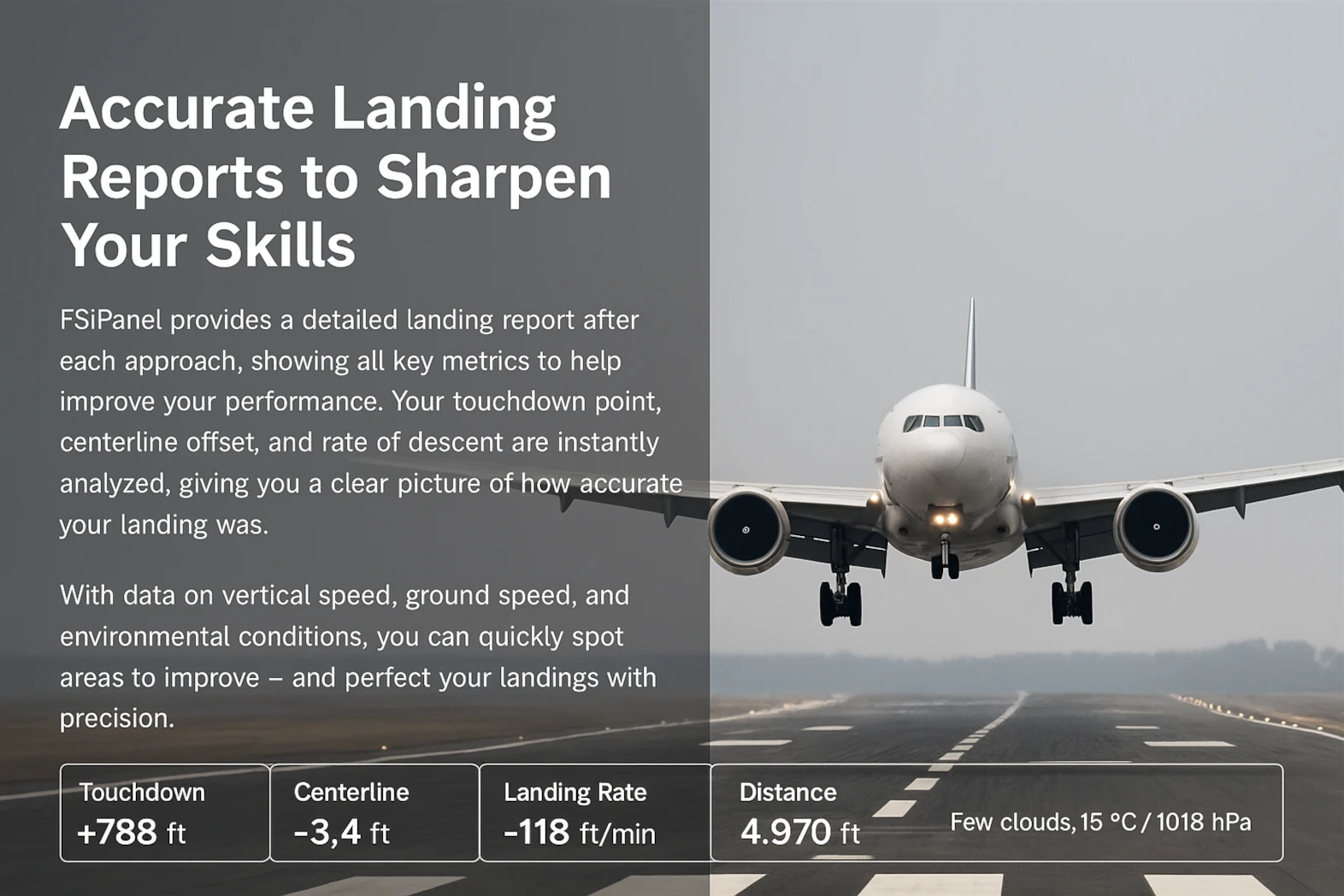
Extensive Landing Analysis
FSiPanel provides a comprehensive landing report after every approach, displaying all critical metrics to refine your performance.
Your landing distance, centerline offset, and rate of descent are instantly analyzed, giving you a clear overview of your touchdown accuracy.

Interactive ATC Scenarios
Compare licenses
Compare our standard and advanced license.
| Features | Standard Edition $29.95 | Advanced Edition $49.95 |
|---|---|---|
| Positionings | ✅ | ✅ |
| Pilot Waypoints | ✅ | ✅ |
| STAR training | ✅ | ✅ |
| Landing Report | ✅ | ✅ |
| Basic Failures Panel | ✅ | ✅ |
| Basic TCAS Scenario | ✅ | ✅ |
| Snapshots | ❌ | ✅ |
| Training Scenario | ❌ | ✅ |
| Traffic Patterns | ❌ | ✅ |
| Cockpit flows | ❌ | ✅ |
| Advanced Failures Panel | ❌ | ✅ |
| Advanced TCAS Scenario | ❌ | ✅ |
Compatible aircrafts
Compare our licenses for different aircrafts and simulator versions.
| Aircrafts | P3DV4 | P3DV5 | Snapshot Feature | Note |
|---|---|---|---|---|
| PMDG: Boeing 737 NGXu, Boeing 747 V3, Boeing 777 | ✅ | ✅ | ✅ | |
| Majestic: Dash8 Q400 | ✅ | ✅ | ❌ | 1 |
| Maddog X: MD-82, MD-83, MD-88 | ✅ | ✅ | ❌ | |
| Aerosoft: Airbus 320 PRO, Airbus 330 PRO | ✅ | ✅ | ❌ | 1 |
| A2A Simulations: Cessna 172, Cessna 182, Piper Cherokee, Piper Comanche | ✅ | ✅ | ❌ | 1 |
| iFly Boeing 737 | ✅ | ✅ | ✅ | |
| iFly 737 MAX8 | ❌ | ✅ | ✅ | |
| iFly Boeing 747 | ✅ | ❌ | ✅ | |
| FSLabs: A320 | ✅ | ✅ | ❌ | 1 |
| TFDi: Boeing 717 | ✅ | ✅ | ❌ | 1 |
| QualityWings: 787 | ✅ | ✅ | ❌ | 1 |
| Captain Sim: 757, 767 | ✅ | ✅ | ❌ | 1 |
Note 1 : FSUIPC Free version is required.
FAQ
If you cant find your question here, please contact us.
What is the difference between Standard and Advanced Edition?
The Standard Edition includes all core features to help you train efficiently. The Advanced Edition includes everything in Standard, plus advanced tools like ATC scenarios, failure injection, traffic patterns, cockpit flows, and more.
Full feature comparison is available on the product page.
Can I upgrade my Standard Edition to the Advanced Edition?
Yes! You only need to pay the price difference. To upgrade, open FSiPanel and go to SETUP > License Information.
Is FSiPanel 2024 compatible with MSFS 2020?
No, FSiPanel 2024 is only compatible with MSFS 2024.
Is FSiPanel 2020 compatible with MSFS 2024?
No, FSiPanel 2020 only works with MSFS 2020.
Do you offer a discount for existing customers?
Yes — if you purchased FSiPanel 2020 before January 1st, 2025, you can transfer your license to FSiPanel 2024 for free.
Details are on the forum. Your 2020 license will be deactivated on December 31st, 2025.
Are there any discounts or sales available?
Yes, we run sales several times a year.
Follow us on social media to stay updated!
Which aircraft are compatible?
Check the full list of supported aircraft on the product page for each simulator.
Can I create a custom scenario?
Not at this time.
However, if you have a scenario idea, feel free to reach out — we may be able to build it with you!
Is FSiPanel compatible with Xbox?
No. FSiPanel is only compatible with Windows 10 or 11 64-bit PC versions of MSFS.
My aircraft starts flying immediately after positioning — why?
Check that the parking brake is not ON, and verify your controller’s neutral zone. Brake input from pedals or axes may be detected at spawn.
Can I run FSiPanel on a tablet or another computer?
No, as FSiPanel shall be run on the same computer as the simulator.
Reviews
Read what our customers says about our software.

| 5 star | 75 | 75% |
| 4 star | 20 | 20% |
| 3 star | 5 | 5% |
| 2 star | 0% | |
| 1 star | 0% |
Sorry, no reviews match your current selections
Video reviews
See video reviews and demos of our software.
FSIPanel - A Must Have tool - Practice In The Fenix, PMDG (& more) in MSFS 2020
In this video, we take a look at FSIPanel, a flight instructors station for MSFS 2020 which can be used with over 30 aircraft, including the Fenix A320 and PMDG 737.
This product will link up with your sim to allow you to set up and practice dozens of scenarios anywhere in the world you choose.
Want to practice crosswinds in Stockholm, or Low Visability approaches in New York, this product will set everything up for you in around 60 seconds including programming the flight computers & setting up the ILS.
HYPER REALISTIC Scenario in MSFS! | Real Airbus Pilot | FSiPanel | Fenix A320 - Full Flight
In this video, we’re back in the Fenix Airbus A320, this time flying another highly realistic (and Sharklet-free), full flight scenario, using FSiPanel within Microsoft Flight Simulator (MSFS).
Our flight takes us from London’s Gatwick airport (EGKK), over towards Jersey (EGJJ). We’ll be making the short hop over to the Channel Islands at FL220, flying the RNP approach for Jersey’s RWY08.
Both the fully voiced ATC and the scenario itself, are provided courtesy of FSiPanel.
Train Like a Pro Pilot | FSI Panel for MSFS
Do you want to practice approaches with a click of a button?
Train like a pro pilot in your simulator with the FSI panel that can place your aircraft anywhere on an approach or on the runway.
Requirements
- Windows 7 or Windows 10 64 bits operating system
- Prepar3D V4 or V5
- Microsoft .Net Framework 4.8
- 150Mb hard disk space
- FSUIPC free version required for some aircraft, see table below
- Navigraph or NavData navigation charts subscription (only required to fly STAR)
I was disappointed the P3D version doesn’t have the leap ahead feature .
Thanks for your feedback! Due to major SDK differences, some MSFS 2020/2024 features like Leap Ahead aren’t possible in P3D. I continue to support P3D with all core FSiPanel functions and appreciate your input!
…been waiting for software like this for years!!!
Great software, very stable .. highly recommend
P3D should be on the same level as MSFS.
Hi, As announced, P3D version will have all the same features very soon.
Very good! The MSFS version seems to work better with the FMC. Not a big deal, as P3D will be soon discontinued.
excellent program, I asked via e-mail, if there is any chance to get your former pgm FSiPanel 2017 (I’m interested to use older PMDG-aircrafts), but unfortunately havn’t got any answer from you.
repos take a long time. I really wish there was a generic GATE button just like in real life IOSs. setting weather, i dont understand the difference between SEND and SET the weather. good product though. if you add a generic gate button for airports that would be great.